 Speedhack
Speedhack - Speed Up Animation in Slot Machines
Speedhack is an extension for Google Chrome that lets you speed up animation in slot machines from Pragmatic Play, No-Limit City, Play'n GO, Hacksaw Gaming and any other popular game provider. The extension is completely free and its future updates cost nothing.
How to install Speedhack
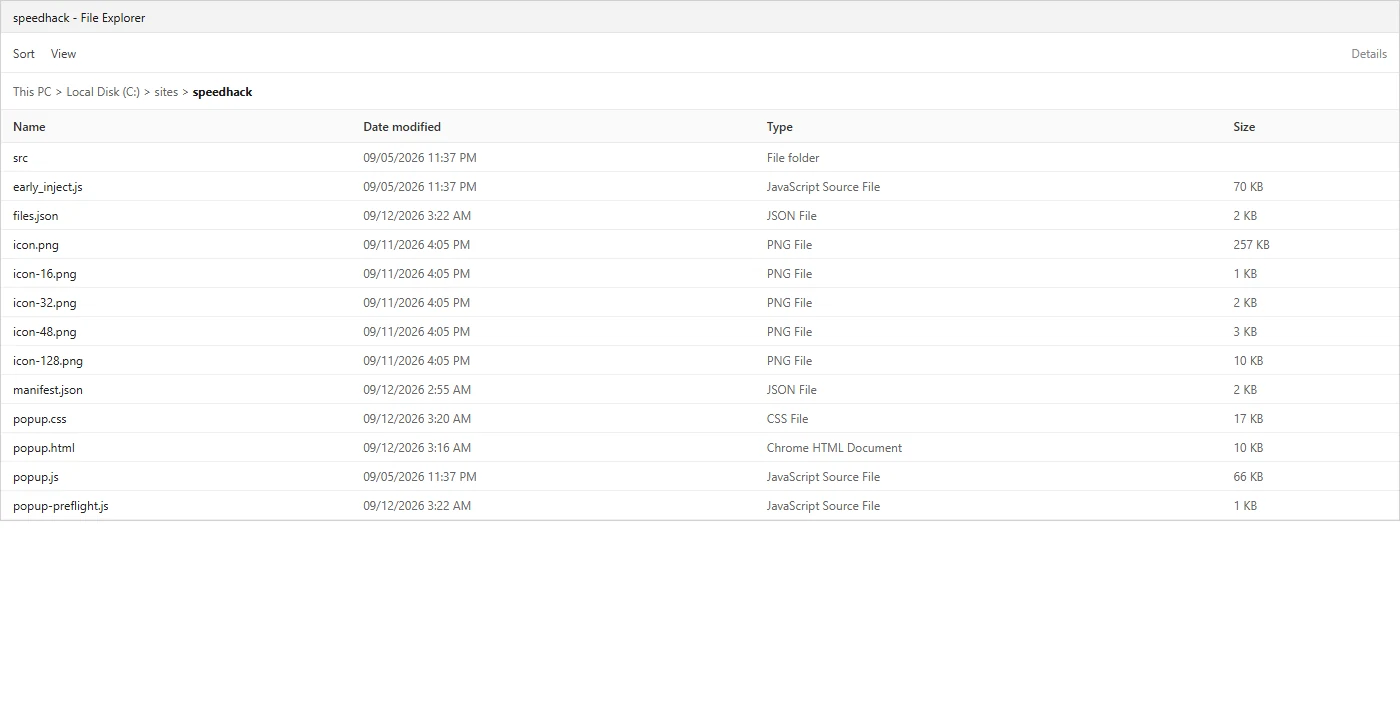
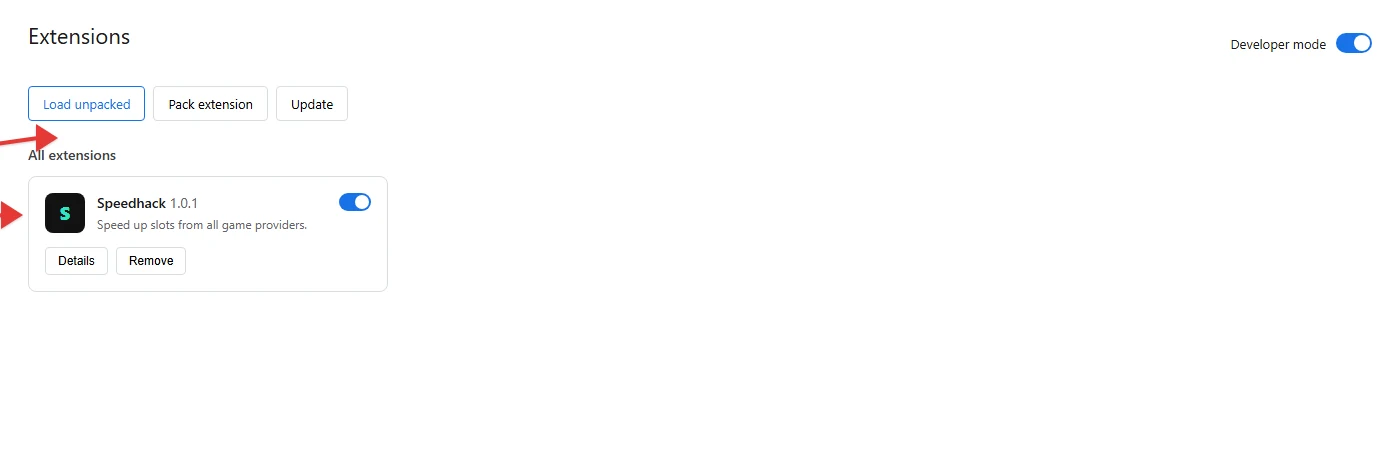
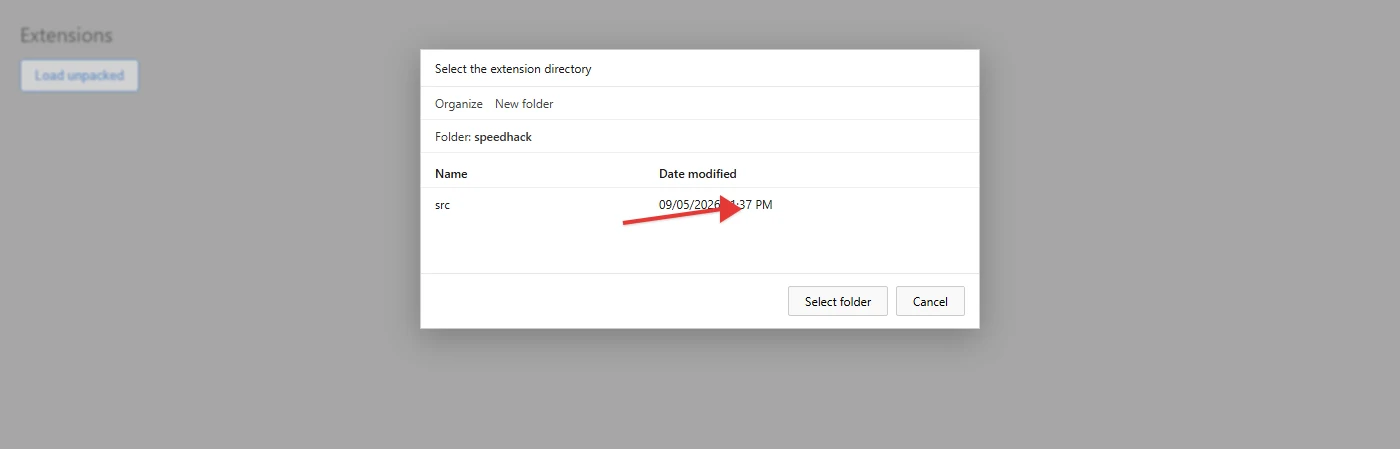
Three steps. Do not delete the folder after unpacking: Chrome reads the files from there.
What Speedhack does
Speedhack speeds up the animation of HTML5 slot machines in the browser: reel spins, bonus games. The extension changes timers and rendering on the user's side. Spin results, payouts and RTP are calculated exactly the same as at normal speed, so online casinos do not prohibit speeding up animation, they know about Speedhack.
After installation, a window with the speed multiplier opens from the Chrome toolbar. The range is from 1x to 25x. At 1x the game runs in normal mode. Values of 2x-5x cut the wait between spins. 10x-25x are used when a bonus round or a win animation takes a long time. But for speed above 10x to work correctly, you need a good internet connection between you and the casino.
The extension is designed for Google Chrome. It also works in Microsoft Edge and Brave. The slot has to open in a browser tab, Speedhack has no app. It is important to understand that Speedhack does not affect the game itself, it only speeds up animation, there is no point looking for winning strategies with it.
Speed control
The slider sets the multiplier from 1x to 25x. Presets: 1x, 2x, 3x, 4x, 5x, 25x. The reset button returns to 1x. Hotkeys: Alt + up or down arrow changes the step, Alt + 1-5 applies a preset.
Providers
Slots from Pragmatic Play, No-Limit City, Play'n GO, Hacksaw Gaming and other HTML5 providers are supported. If a machine runs in the browser on the same type of engine, the speed up applies to it the same way.
Crash protection
At high multipliers some games close the tab or interrupt the session. The Crash protection mode reduces how aggressive the speed up is. You turn it on if the slot becomes unstable.
What is not affected
The random number generator, the paytable and the win probability are not changed. Speedhack shortens the length of the animation. The outcome of the round is determined by the casino.
Settings storage
The multiplier and the toggles are saved locally in the browser. No registration is required. When you go to another page or refresh the tab, the speed goes back to 1x.
Price and installation
The extension and its future updates are free. It is not in the Chrome Web Store: loading is done manually through developer mode. The installation order is described in the section above.
Frequently asked questions
Is this extension from the Chrome Web Store?
No. Speedhack is installed manually as described above: you take the folder with the files, turn on developer mode and load the unpacked extension.
How can Speedhack help you?
Fast clearing of wagering requirements if you took a deposit bonus or a no deposit bonus. Or simply slot machines with slow animation.
Which slots does the speed up work in?
In HTML5 slots from various providers: Novomatic, Pragmatic Play, Relax Gaming and so on, if the machine opens in a browser tab. The spin result is calculated by the game provider's server.
Do I need an account?
No. Settings stay in the browser, no registration.
Will Edge or Brave work?
Yes, any Chromium based browser. The path is the same: extensions page, developer mode, load unpacked.
Does Speedhack affect winnings or RTP?
No. Spin results, payouts and RTP are the same as at normal speed. The extension only speeds up animation. Looking for a separate winning strategy with it makes no sense.
Don't casinos prohibit this kind of speed up?
Speeding up animation on the browser side does not change the outcome of the round. By the casino's own wording this is not considered interference with the game. Speedhack has no separate app, the slot has to run in a tab of your browser.
Is the extension paid?
No. The installation itself and the updates are free.
What is the speed range?
From 1x to 25x. 1x is the normal pace. 2x-5x cut the pauses between spins. 10x-25x make sense on long bonus rounds and win animations.
Why does speed above 10x sometimes lag or reset?
At high multipliers the browser requests data from the casino more often. If the connection is weak, the animation outruns the server response. For 10x and above you need a stable connection to the casino.
The slot kicks me out of the tab. What should I do?
Turn on Crash protection in the extension window and lower the multiplier. Some games at 15x-25x close the tab if the speed up is too harsh.
Why is the speed back to 1x after refreshing the page?
That is by design. When you go to another page or refresh the tab, the multiplier resets to 1x so that you do not enter a slot at high speed straight away.
Can I delete the extension folder after installation?
No. Chrome reads the files from this folder. If you move or delete it, the extension will stop opening. Leave the directory in a permanent place.
Chrome says there is no manifest.json
The wrong folder is selected. You need the root of the unpacked archive, where manifest.json itself sits, not the folder one level above and not a nested directory.
Do I need to turn on developer mode every time?
Yes, on the chrome://extensions page the toggle has to stay on. If you turn it off, Chrome may disable the unpacked extension.
Is there a Speedhack app?
No. Only a browser extension. The slot opens in a tab of Chrome, Edge or Brave.
Does it work in a casino app on a phone?
No. You need a browser on a computer and an HTML5 slot in a tab.
The speed up works on one slot but not on another
Some providers count time differently. Open the popup, check that the extension is enabled, reset the speed and set the multiplier again.
Is it safe to give the extension access to sites?
Speedhack is needed on slot pages, which is why the manifest has broad host permissions. Speed settings are stored locally. The extension has no separate account and no analytics of its own.
How do I pin the icon to the toolbar?
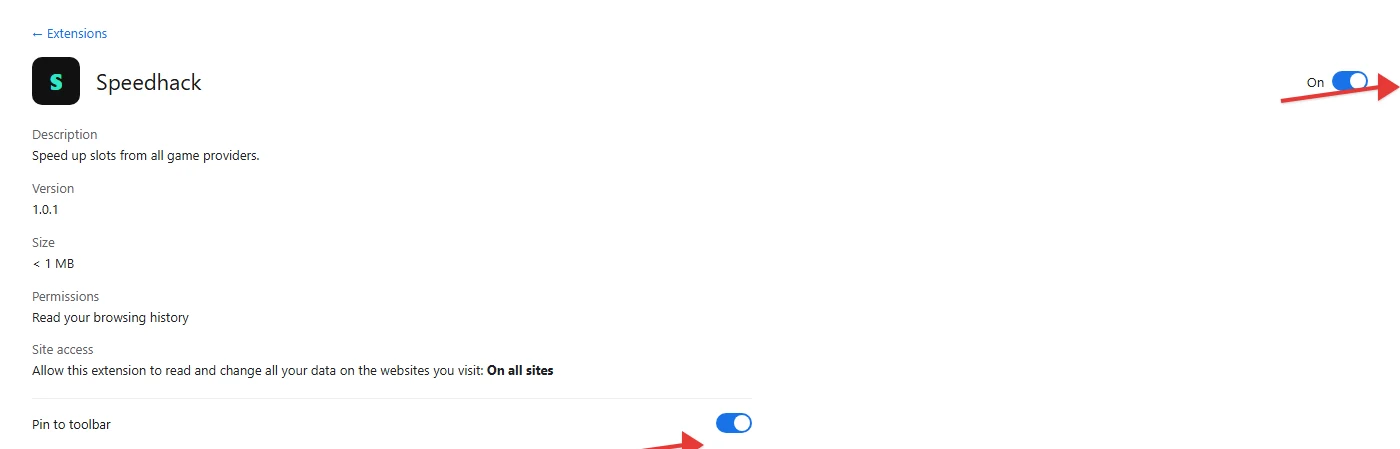
chrome://extensions, open the Speedhack card and turn on Pin to toolbar. Or the puzzle icon to the right of the address bar and the pin next to Speedhack.
Comments
Install Speedhack
All the steps are above on this page, from the archive to the icon on the toolbar.
Go to installation
Can't install it, or found a bug? Tell us in the comments. We'll help.